Why did calls from my Google Business Profile drop? Is it AI Overviews?
Last updated: November 19, 2026 · By Kayce Sadler, Founder & CEO, Abode Marketing
Sometimes it is AI. Google has been testing AI local packs and AI Overviews that show fewer businesses and often no call button, so you can hold your map ranking and still lose call taps. But GBP “Calls” only counts taps on the call button, so check your real phone logs, seasonality, profile edits and competitors before you blame AI. Most drops have more than one cause. The checklist and table below sort them out in about an hour.
Key takeaways
- GBP Calls = call-button taps, not answered calls. Verify against your phone system first.
- AI local packs often show one or two businesses and frequently drop the call button, so rankings can look fine while calls fall.
- Suggested edits and category changes can go live quietly. Check the editor for Google updates.
- Compare year over year to rule out seasonality before changing anything.
- A broken call tracking forward looks exactly like a traffic drop. Test-call the listed number.
What does the “Calls” number in Google Business Profile actually count?
Google defines Calls as the number of times someone clicked the call button on your Business Profile. That is a tap, not a connected conversation. It doesn’t tell you whether anyone answered, whether the caller was a real prospect, or whether someone read your number and dialed it by hand. Google also notes that Performance blends actions from organic results and Google Ads, so cutting an ad budget can move the Calls line too.
The dashboard has gaps of its own. Search Engine Roundtable reported in October 2025 that Performance reports were missing call data for October 14 through 16, 2025, and that an earlier gap had been backfilled. So before treating a dip as a real loss, compare it with something you control: your phone system’s inbound log, call tracking, or intake software. If those are flat and only the GBP chart fell, you’re looking at a reporting issue or a change in how people reach you, not fewer callers.
Is it really AI Overviews or AI Mode?
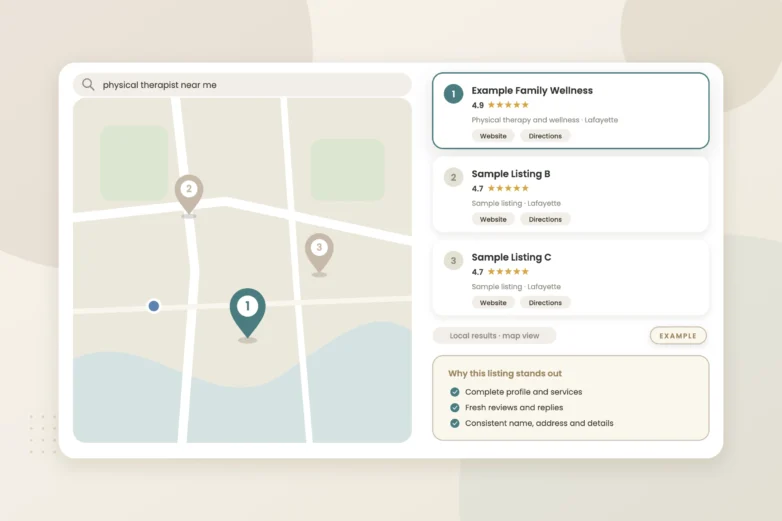
Sometimes, yes, and there is dated evidence. In January 2026, Search Engine Roundtable covered AI-generated local packs replacing the traditional three-pack on some searches. Joy Hawkins cited Places Scout data showing them on roughly 8% of keywords and rising, and Glenn Gabe noted they often show one or two businesses instead of three, many without a call button. In March 2026, a Smallbiz Edge study covered by Search Engine Roundtable found a call button on only about 20% of 2,580 local pack searches (172 keywords in 15 locations). The sample is small, but the direction matches what local SEOs report.
Google keeps testing. On November 10, 2026, Search Engine Roundtable reported an AI Overview local pack that dropped the call, website and directions buttons along with reviews and photos; by November 18, Hawkins was seeing the older layout again. The pattern to watch: map rankings look fine, profile views hold, but call-button taps fall. That points to the button disappearing from where people see you, not to you losing position. It hits a law firm, an insurance agency, a medical practice and a roofer the same way.
What else makes GBP calls drop besides AI?
Plenty, and most of it takes an afternoon to check.
- Seasonality. Compare the same months year over year, not month to month. A roofer’s calls follow weather, an insurance agency’s follow renewal cycles, and many practices slow around holidays.
- A competitor got closer or louder. Proximity to the searcher and review strength are two of the biggest levers in the map pack. A new office near your customers, or a rival who closed the review gap, can take a pack spot without you changing anything. Our map pack explainer walks through relevance, distance and prominence.
- Someone edited your profile. Google says it can update profiles from user reports and other sources, marks its changes in blue in the editor, and may publish a suggested edit if you don’t respond within 4 days. A changed phone number, hours or category will quietly cut calls. Here’s how to lock down suggested edits.
- A category change. Google says your categories affect your local ranking and which searches you show for, and that editing a category can trigger re-verification. If calls fell the week someone “cleaned up” categories, start there.
- A suspension or disabled profile. Google may suspend or disable profiles that break its guidelines. Check for notices and the appeals tool before anything else.
- A spam or core update hit your website. The August 2025 spam update rolled out from August 26 to September 22, 2025. Spam updates target web results, so if your site lost organic traffic, the calls that came from your website’s phone number fell, not GBP taps. Check Search Console for those dates.
How do I diagnose a GBP call drop, step by step?
- Confirm the drop is real. Pull 13+ months of inbound calls from your phone system or call tracking. If total calls are flat, look at channel mix instead.
- Compare year over year. Line up the same weeks last year to rule out seasonality.
- Read the profile like a stranger. Open it on a phone, logged out. Check the phone number, hours, primary category and that the call button appears. Look in the editor for blue Google updates.
- Check status. Look for suspension or verification notices and any pending re-verification after a category edit.
- Check the date against known changes. Compare the start date with reported data gaps, update windows and your own ad budget changes.
- Run your top five searches on mobile. Note the layout (three-pack, AI pack or AI Overview), how many businesses show, and whether yours has a call button.
- Check what changed around you. Look for new competitors near your customers and compare review counts and recent review velocity. If your own count fell, see why Google reviews disappear.
- Audit your phone setup. If a call tracking number is in the primary phone field, confirm it forwards, rings the right line and matches the number on your site. A broken forward looks exactly like a traffic drop.
- Listen to intake. Check missed-call and voicemail rates. Fewer booked cases or appointments can be an answering problem, not a Google one.
Which symptom points to which cause?
| Symptom | Likely cause | What to check |
|---|---|---|
| GBP calls fell, phone system calls flat | Reporting gap or people dialing from your site or the profile number | Phone logs, call tracking, reported dashboard data gaps |
| Rankings and views steady, call taps down | AI local pack or AI Overview showing you without a call button | Mobile screenshots of your top searches over several days |
| Same dip as last year | Seasonality | Year-over-year comparison by week |
| Views and calls both down, one competitor rising | New nearby competitor or review gap | Competitor reviews, new locations, pack screenshots |
| Sudden drop to near zero | Wrong number, broken forward, suspension | Test-call the listed number, check status and notices |
| Drop the week of an edit | Suggested edit or category change | Blue Google updates in the editor, edit history, re-verification |
| Website calls down, GBP taps steady | Organic ranking loss from an update | Search Console traffic around update dates |
Hypothetical: an insurance agency sees GBP call taps fall 40% in a month while its phone system shows total inbound calls nearly flat. Callers are reaching it another way (website, AI answer, saved contact), so the job is measuring those paths, not chasing rankings.
What we’d check first
We’d start by lining up your GBP Performance calls against your actual phone or call tracking logs for the same 13 months, then screenshot your top five searches on mobile to see whether you’re showing in a classic pack, an AI pack or an AI Overview, and whether your call button is there. Then we check for Google updates and category changes, test-call the listed number, and review missed calls.
If you’d like a second set of eyes, our free visibility audit covers this and shows where you stand on Google, Maps and AI search.
Frequently asked questions
Does Google Business Profile count calls people dial manually from my listing?
No. Google defines Calls as clicks on the call button on your profile. Someone who reads your number and dials it, or calls from your website, won’t show up in that metric, which is why your phone system or call tracking is the better source of truth.
Can I get my call button back in AI Overviews?
Not directly. Google decides the layout, and it has been testing versions with and without action buttons. What you can control is making sure your profile, website and reviews give Google and searchers a clear reason to contact you wherever you appear.
Should I put a call tracking number on my Google Business Profile?
Many local businesses put a tracking number in the primary phone field and keep the main line as an additional number. If you do, test that it forwards correctly and that your website and listings stay consistent. Google’s own Calls metric will still only count button taps.
My views went up but calls went down. What does that mean?
Usually that you’re being seen in places without a one-tap call path, such as AI-generated local results, or that more people are clicking through to your website instead. Check your website call tracking and form fills before concluding you lost leads.
Sources
- Google Business Profile Help: Understand your Business Profile performance and insights — Defines Calls as clicks on the call button; Performance includes organic and Google Ads actions
- Google Business Profile Help: Understand Google updates on your Business Profile — Google updates shown in blue; 4-day window for suggested edits
- Google Business Profile Help: Choose a business category — Categories affect local ranking; editing categories may require re-verification
- Search Engine Land: Google August 2025 spam update done rolling out — Rollout dates August 26 to September 22, 2025
- Search Engine Roundtable: GBP Performance Report Missing Oct 14-16 Call Data (Oct 23, 2025) — Documented reporting gap in GBP call data
- Search Engine Roundtable: AI Overview local packs and visibility drops (Jan 16, 2026) — AI local packs on about 8% of keywords (Places Scout via Joy Hawkins); one to two businesses, often no call button
- Search Engine Roundtable: Are Local Packs Losing Their Call Buttons? (Mar 17, 2026) — Smallbiz Edge study: call button in about 20% of 2,580 local pack searches
- Search Engine Roundtable: Google AI Overview Local Pack Dropping Action Buttons, Photos & Reviews (Nov 10, 2026) — Test removing call, website and directions buttons; older layout seen again Nov 18